First Replication
This walkthrough copies remote data into your local database on a schedule. Afterwards, queries run fully locally — joinable, aggregatable, offline-capable.
When to replicate instead of delegate
| You want | Pick |
|---|---|
| Up-to-the-second data | Delegate |
| Joins across remote data and local data in SQL | Replicate |
| Aggregations / analytics on remote data | Replicate |
| Resilience against remote outages | Replicate |
| Writes that must land in the system of record | Delegate (writable) |
1. Declare a replicate consumption view
using { API_BUSINESS_PARTNER as remote } from './external/API_BUSINESS_PARTNER';

service ExternalService {

    @federation.replicate: { schedule: 600000, preload: true, delta: { field: 'LastChangeDateTime' } }
    entity ReplicatedPartners as projection on remote.A_BusinessPartner {
        BusinessPartner         as ID,
        BusinessPartnerFullName as name,
        BusinessPartnerCategory as category,
        LastChangeDateTime
    };

}schedule: 600000— re-sync every 10 minutes viacds.spawn. Omit for manual-only mode.preload: true— run one initial sync at server startup so the local table has data immediately, instead of staying empty until the firstscheduletick. Usepreload: { wait: true }to block boot until that first load finishes. See Initial load on startup.delta: { field: 'LastChangeDateTime' }— only fetch records modified since the last successful run.- The plugin turns this projection into a local table (
@cds.persistence.skip: false,@cds.persistence.table).
2. Activate the tracker tables
@federation.replicate is backed by the cds-data-pipeline engine, which persists its run state in two tracking tables (plugin.data_pipeline.Pipelines, plugin.data_pipeline.PipelineRuns). Adding cds-data-pipeline to your dependencies loads the engine, but the tracker schema is opt-in. Without it, boot fails on the first pipeline run with:
Error: no such table: plugin_data_pipeline_PipelinesPick one of these to bring the schema into your model:
- Tracker tables only — add to any
.cdsfile in your model (e.g.db/schema.cds):
using from 'cds-data-pipeline/db';- Tracker tables +
/pipelinemanagement API — setmanagement.reuse.apion the engine'scds.requiresentry:
{
  "cds": {
    "requires": {
      "data-pipeline": {
        "impl": "cds-data-pipeline",
        "management": { "reuse": { "api": true } }
      }
    }
  }
}Then deploy the schema via cds deploy (local / SQLite) or your HDI container (HANA). The plugin does no runtime DDL. See Feature activation for the full matrix and the "do not combine" rules.
3. Boot the app
cds watchOn startup you'll see something like:
[cds-data-federation] scheduled replication ReplicatedPartners (every 600000ms)
[cds-data-federation] PIPELINE.READ ReplicatedPartners — initial full sync
[cds-data-federation] PIPELINE.WRITE ReplicatedPartners — 1234 records upserted4. Query the local table
After the first sync:
GET /external/ReplicatedPartners?$filter=category eq 'Z001'&$orderby=nameThis is a plain local SQL query. Join with other local tables, aggregate, filter — everything SQL supports.
Manual triggers and management
@federation.replicate entities are backed by the pipeline engine, which exposes an OData management service at /pipeline (enable it with management.reuse.api):
POST /pipeline/execute
Content-Type: application/json

{ "name": "ReplicatedPartners", "mode": "full" }See the cds-data-pipeline Management Service for all management endpoints.
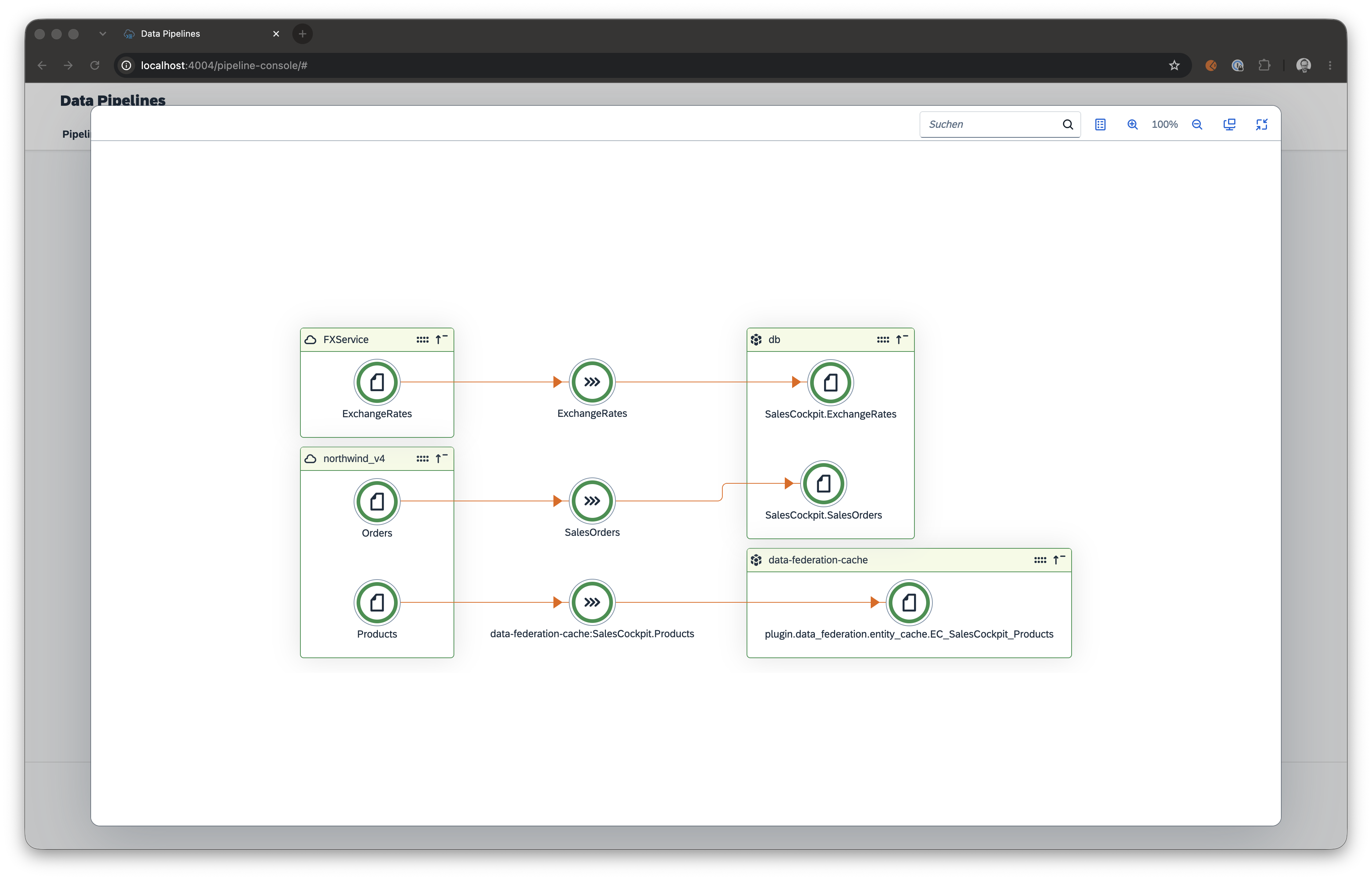
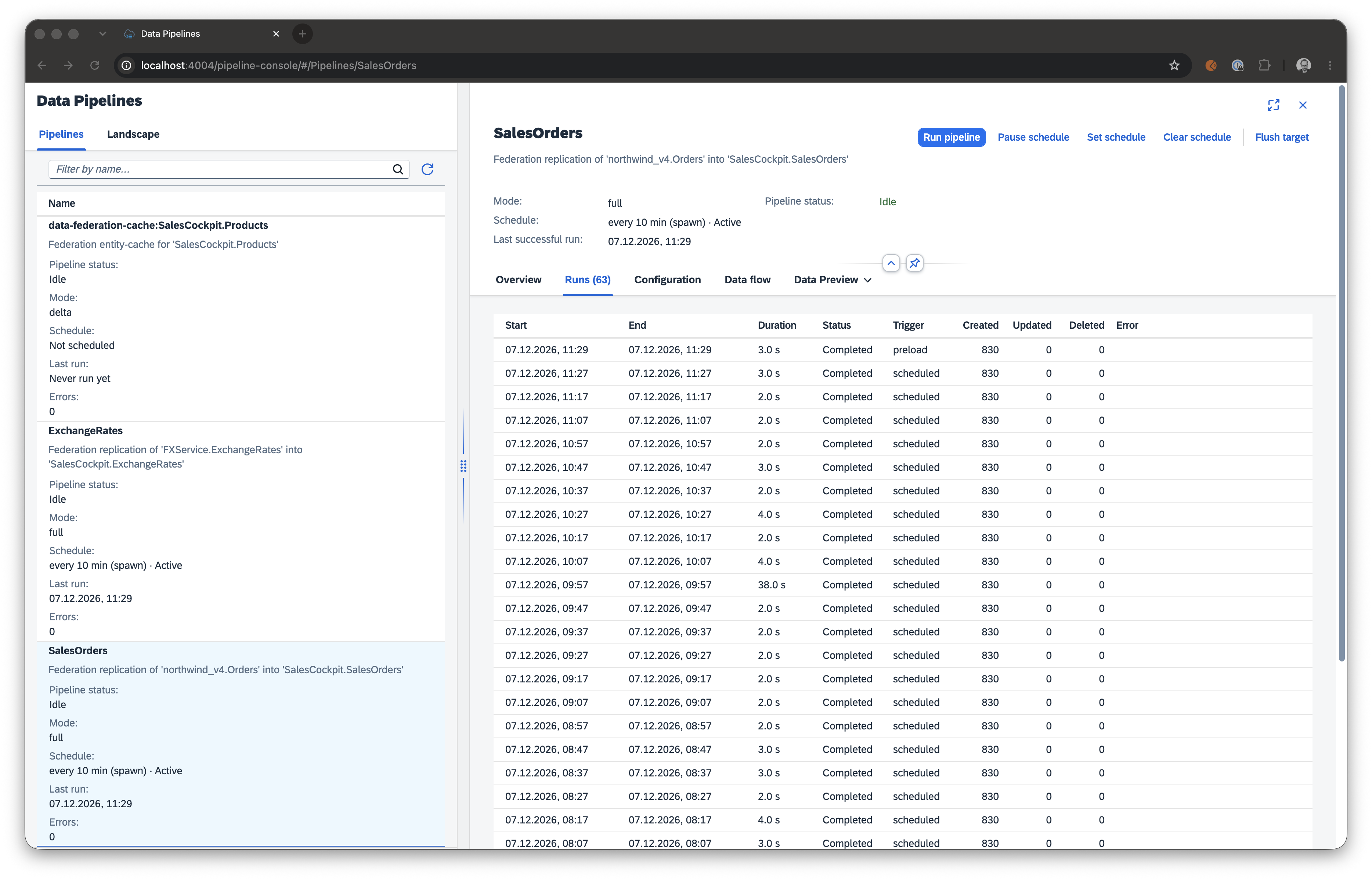
Pipeline Console
For a visual monitor, enable the pre-built UI with management.reuse.console: true on the data-pipeline requires entry (see Feature activation). Replicate entities registered by federation appear automatically in the console.
What you get for free
- Idempotent
UPSERTwrites — re-runs produce no duplicates. - Concurrency guard — overlapping runs are detected via an optimistic
UPDATEon the tracker table and return early. - Retry with exponential backoff + jitter (skips 4xx by default).
- Async generator streaming — large datasets are never loaded fully into memory.
- Three delta modes (
timestamp,key,datetime-fields). - REST adapter with
offset/cursor/pagepagination — see the cds-data-pipeline REST adapter.
Extending the pipeline
Hook into the PIPELINE.READ / PIPELINE.MAP / PIPELINE.WRITE phases via the standard CAP service API:
const federation = await cds.connect.to('data-pipeline');

federation.before('PIPELINE.MAP', 'ReplicatedPartners', async (req) => {
    req.data.sourceRecords = req.data.sourceRecords.filter(r => !r.blocked);
});See the programmatic API reference for the full hook signature.
Next steps
- First Cache — add caching on top of delegate or replicate.
- cds-data-pipeline Management Service — Pipelines / PipelineRuns OData endpoints.
- cds-data-pipeline REST adapter — replicate from services without a CDS model.